Create a Secret
In this example we will save a phrase "This is a really big secret!" as the name demosecret.
The name can only contain lowercase alphanumeric characters and - character. The phrase can be anything.
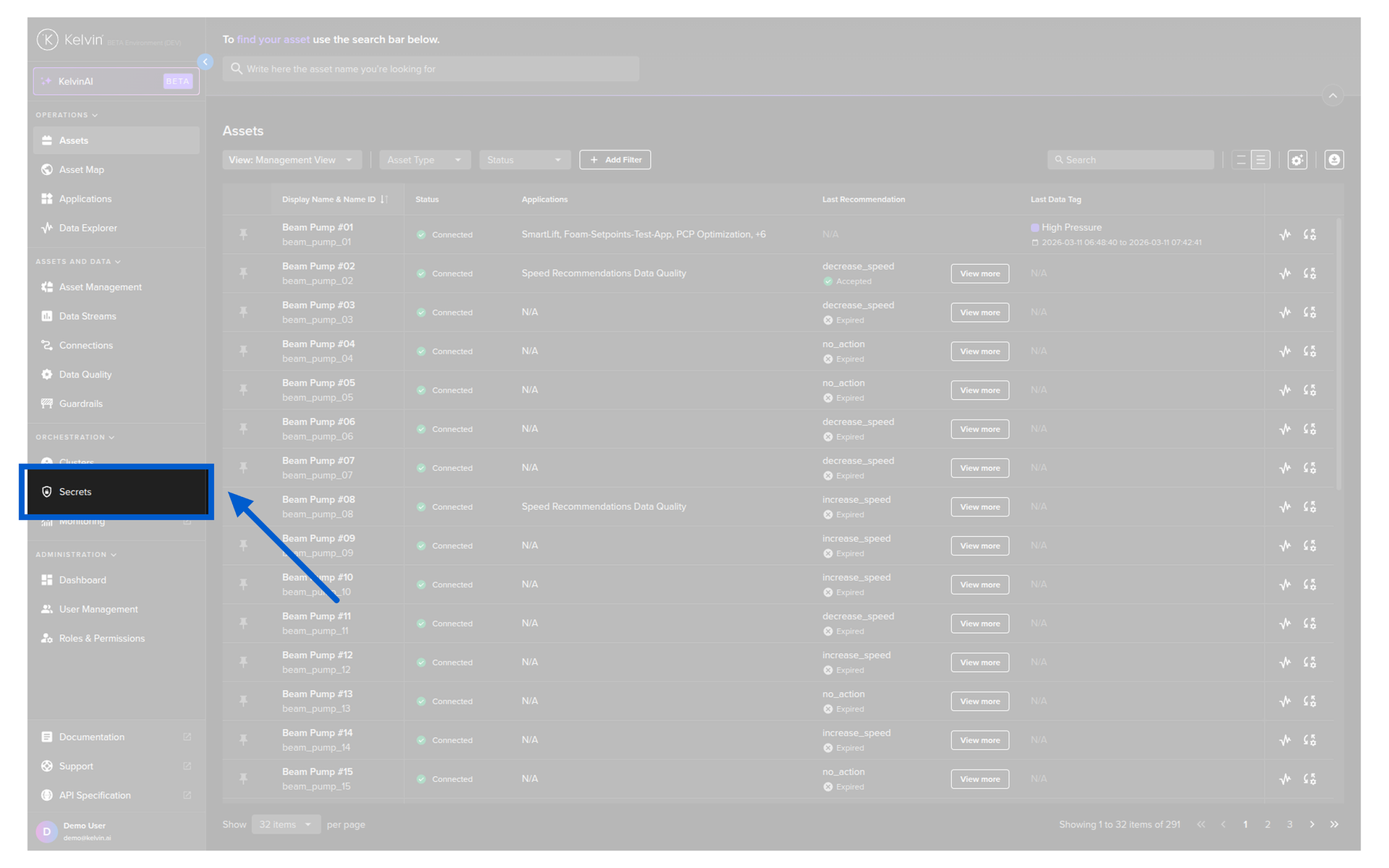
Click on the Secrets menu under Orchestration.
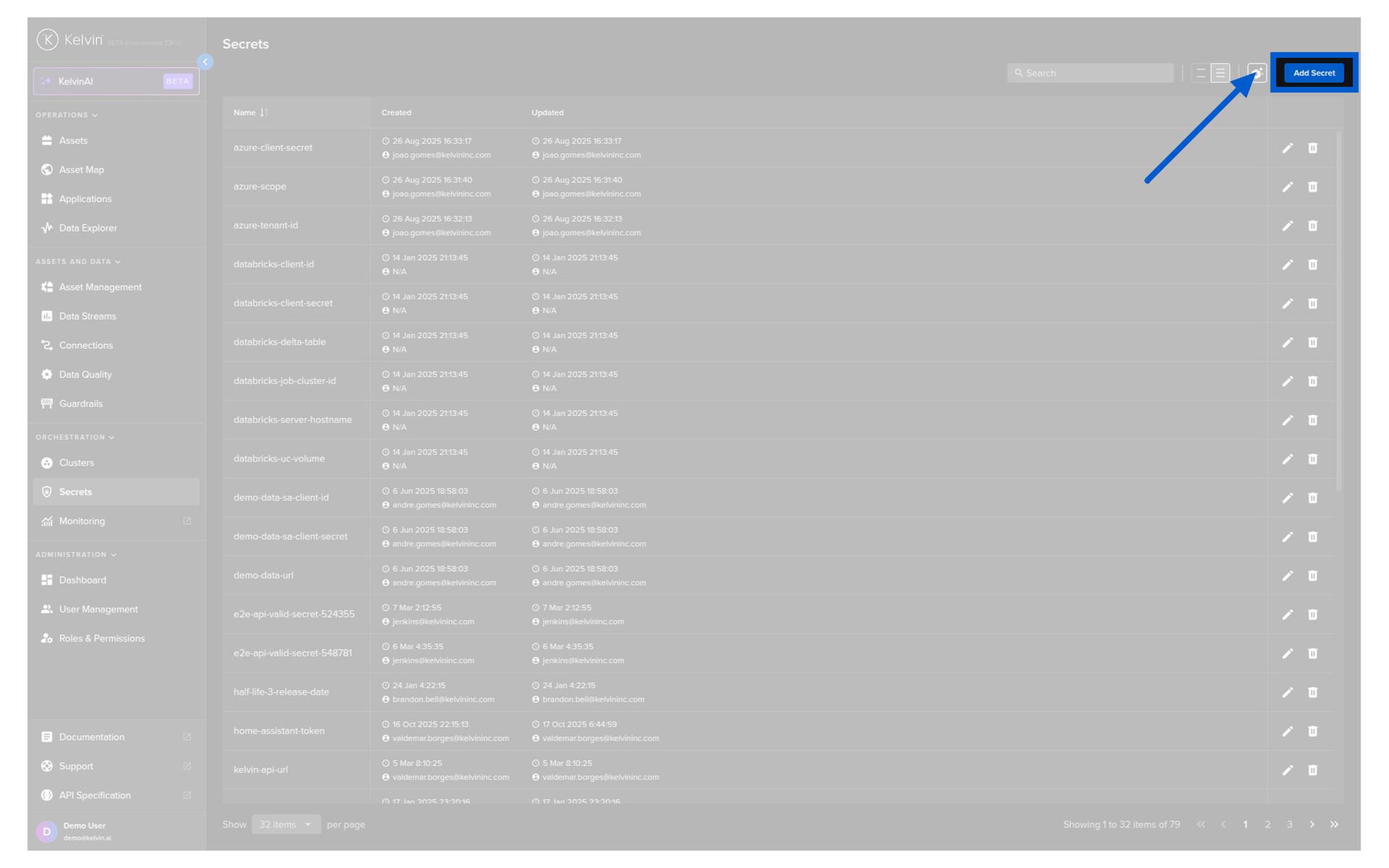
Click on the Add Secret button in the top right corner.
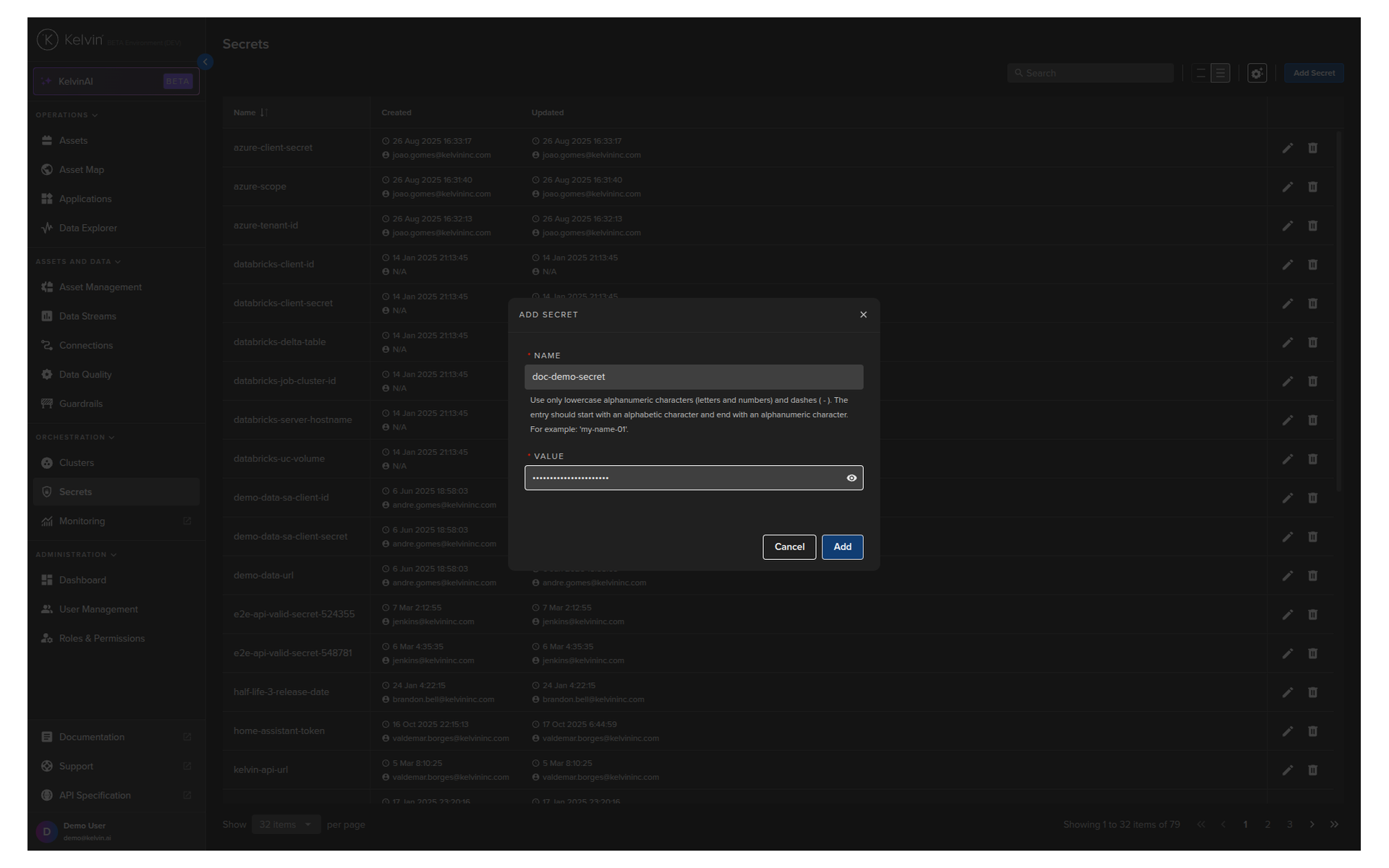
Give your Secret a name which you will reference in your Kelvin SmartApp™ and a value.
Then click the Add button to save it.
Warning
You will not see the secret again, so make sure you type it correctly.
You can update the value with a new one, but you will not be able to see the original value.
You will then see your new secret listed.
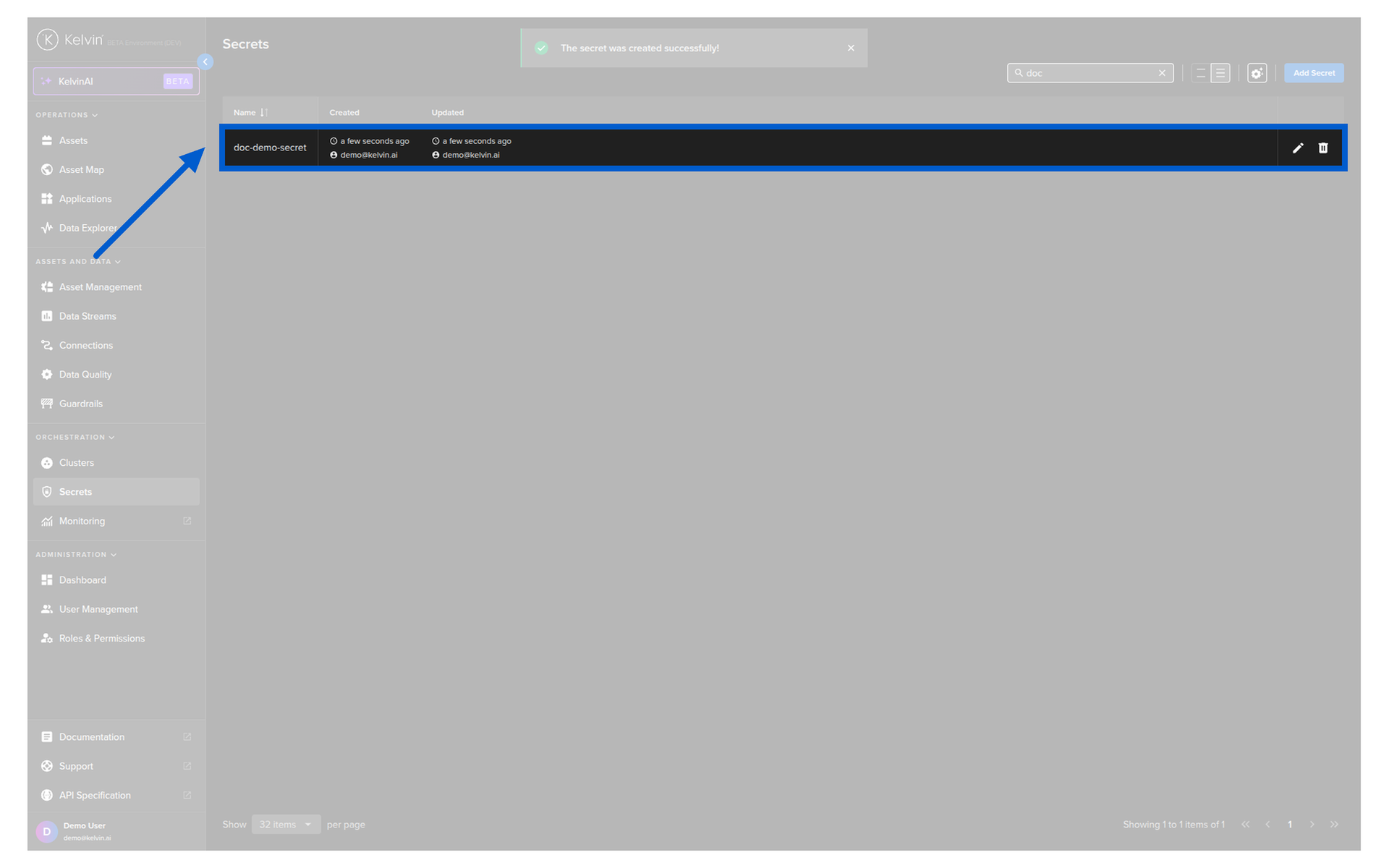
Congratulations, you now have created a new secret variable.
| API cURL Example | |
|---|---|
1 2 3 4 5 6 7 8 9 | |
The response will look like this;
| API cURL Example Response | |
|---|---|
1 2 3 | |
| API Client (Python) Example | |
|---|---|
1 2 3 4 5 6 7 8 9 10 11 12 13 14 | |
You will see the output like this;
| API Client (Python) Example Response | |
|---|---|
1 | |
| Kelvin SDK Command Line Example | |
|---|---|
1 | |
If everything went well you will get the confirmation response like this;
| Kelvin SDK Command Line Output | |
|---|---|
1 | |