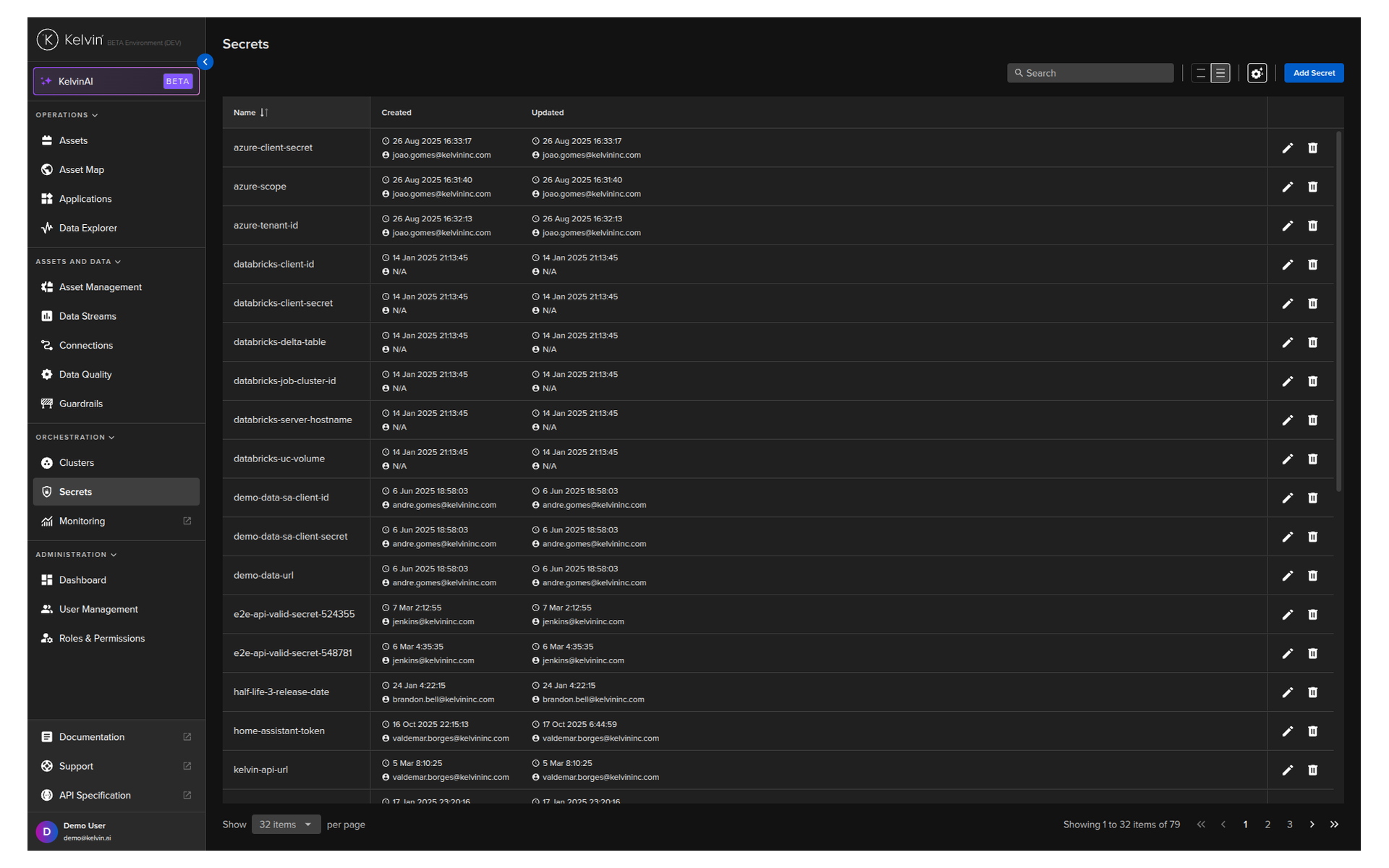
Click on the Secrets menu under Orchestration.
Here you will see a list of all your secrets on your Platform.
Note
You can never see your secret value.
Even when you edit a secret variable, you can only replace it with a new value.
In here you have the standard list features such as search, pages, and column settings.
| API cURL Example |
|---|
| curl -X "GET" \
"https://<url.kelvin.ai>/api/v4/secrets/list?search=demo" \
-H "Authorization: Bearer <Your Current Token>" \
-H "Accept: application/json"
|
The response will look like this;
| API cURL Example Response |
|---|
1
2
3
4
5
6
7
8
9
10
11
12
13
14
15
16
17
18 | {
"pagination": {
"next_page": null,
"previous_page": null,
"page_size": 20
},
"data": [
{
"name": "demosecret",
"created_by": "krn:user:example@kelvin.ai",
"created": "2025-06-06T11:58:03.890454Z",
"updated": "2025-06-06T11:58:03.890454Z",
"updated_by": "krn:user:example@kelvin.ai"
},
...
]
}
|
| API Client (Python) Example |
|---|
| from kelvin.api.client import Client
# Login
client = Client(url="https://<url.kelvin.ai>", username="<your_username>")
client.login(password="<your_password>")
# List Secrets with Filter
response = client.secret.list_secrets(search="demo")
print(response)
|
You will see the output like this;
| API Client (Python) Example Response |
|---|
| [SecretItem(name='demosecret', created=datetime.datetime(2025, 6, 6, 11, 58, 3, 890454, tzinfo=TzInfo(UTC)), created_by='krn:user:example@kelvin.ai', updated=datetime.datetime(2025, 6, 6, 11, 58, 3, 890454, tzinfo=TzInfo(UTC)), updated_by='krn:user:example@kelvin.ai'), SecretItem(...), ...]
|
| Kelvin SDK Command Line Example |
|---|
| kelvin secret list --filter demo
|
You will need to confirm the delete process and if everything went well you will get the confirmation response like this;
| Kelvin SDK Command Line Output |
|---|
| [kelvin.sdk][2025-11-24 07:46:48][I] Retrieving platform secrets..
[kelvin.sdk][2025-11-24 07:46:48][I] Fetching credentials from keyring
[kelvin.sdk][2025-11-24 07:46:51][I] *************************** Secrets ***************************
+----------------------------+
| Secret name |
|----------------------------|
| demo-data-sa-client-id |
| demo-data-sa-client-secret |
| demo-data-url |
| demosecret |
+----------------------------+
|