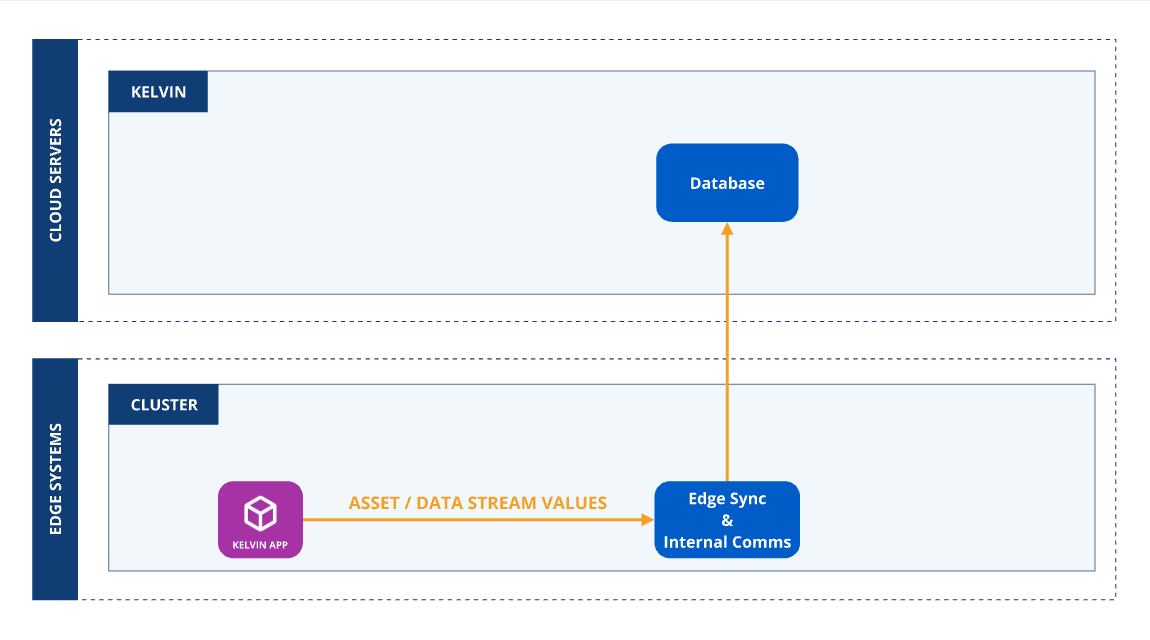
The Asset name can only be related to any Assets associated with the Kelvin SmartApp™ workload.
Note
Any attempt to write to Assets not associated with the Kelvin SmartApp™ workload will be dropped and an error recorded in the logs.
Timeseries Data Messages
Output (Number/Boolean/String/Object) Objects support the following attribute:
Attribute
Required
Description
payload
required
Number, Boolean, String or object value, depending on the data_type
You need to create and publish each output Data Message according to the Asset / Data Stream's data_type.
Create and Publish Number Python Example
1 2 3 4 5 6 7 8 910111213141516
fromkelvin.messageimportNumberfromkelvin.krnimportKRNAssetDataStreamapp=KelvinApp()# Create and Publish a Number every 10 seconds@app.timer(interval=10)asyncdefpublish_data():awaitapp.publish(Number(resource=KRNAssetDataStream("asset-1","motor_temperature_fahrenheit"),payload=97.3))app.run()
Create and Publish Boolean Python Example
1 2 3 4 5 6 7 8 910111213141516
fromkelvin.messageimportBooleanfromkelvin.krnimportKRNAssetDataStreamapp=KelvinApp()# Create and Publish a Boolean every 10 seconds@app.timer(interval=10)asyncdefpublish_data():awaitapp.publish(Boolean(resource=KRNAssetDataStream("asset-1","motor_error"),payload=True))app.run()
Create and Publish String Python Example
1 2 3 4 5 6 7 8 910111213141516
fromkelvin.messageimportStringfromkelvin.krnimportKRNAssetDataStreamapp=KelvinApp()# Create and Publish a String every 10 seconds@app.timer(interval=10)asyncdefpublish_data():awaitapp.publish(String(resource=KRNAssetDataStream("asset-1","motor_error_description"),payload="Temperature is too high"))app.run()
For objects, the payload is an arbitrary dict with any given dict structure.
Create and Publish Object Python Example
1 2 3 4 5 6 7 8 910111213141516171819202122
fromkelvin.messageimportString,KMessageTypeDatafromkelvin.krnimportKRNAssetDataStreamapp=KelvinApp()gpsd_dict={"latitude":90,"longitude":100}# Create and Publish an Object every 10 seconds@app.timer(interval=10)asyncdefpublish_data():awaitapp.publish(Message(type=KMessageTypeData(primitive="object",icd="gps"),resource=KRNAssetDataStream("asset-1","gps_data"),payload=gps_dict,))app.run()